AutoDeck 2.0 Your car screen. Your way.

Widgets, synced lyrics, prayer times, weather and sports on Android Auto. Set it up from your phone, the way you like it.

Try it free Take a drive

3 days free at launch

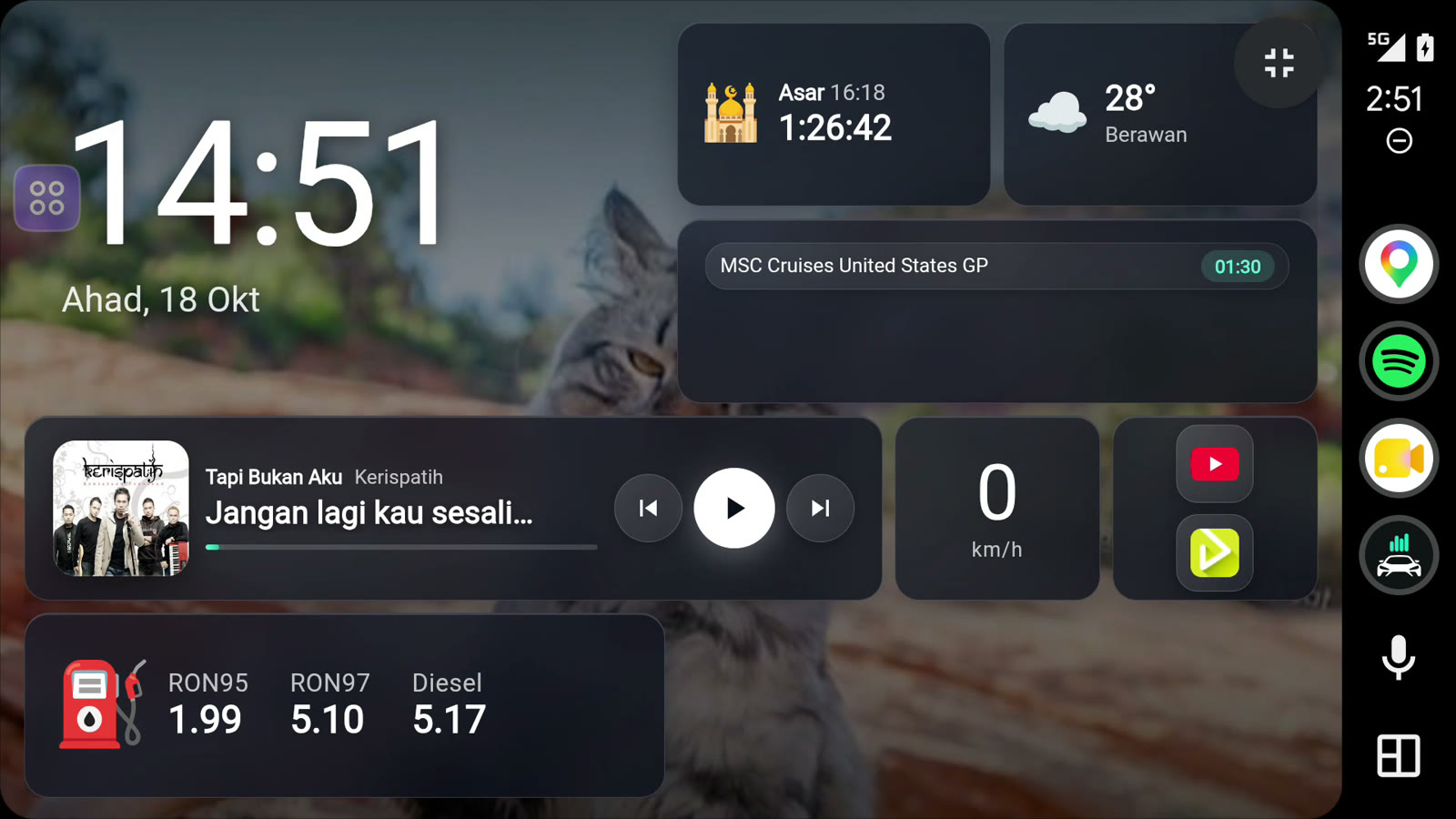
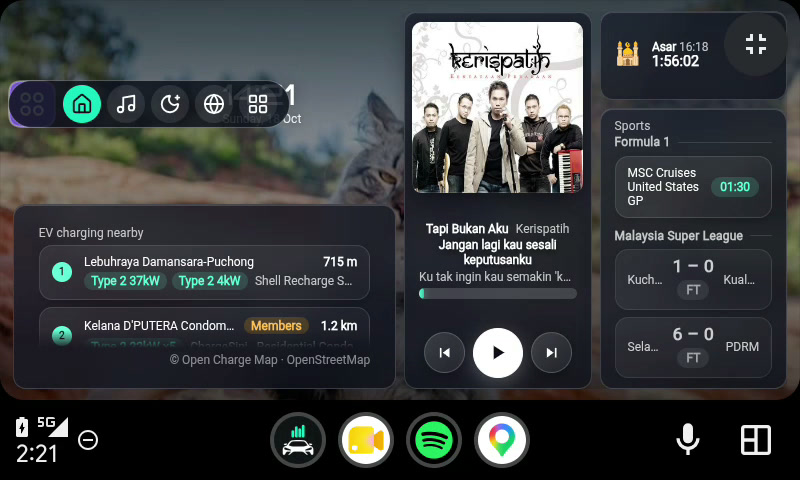
AutoDeck home screen on Android Auto with clock, prayer countdown, weather, sports, music and fuel prices

Real screenshot from Android Auto, AutoDeck 2.0.

Synced lyrics Prayer countdown Qibla Forecast Rain radar EV chargers Fuel prices Live scores
Calendar YouTube when parked Widget grid Azan Parking saver Four languages Welcome voice

A day with AutoDeck

From morning to the last stop.

One screen that changes with your day. Real screenshots from Android Auto.

The drive in

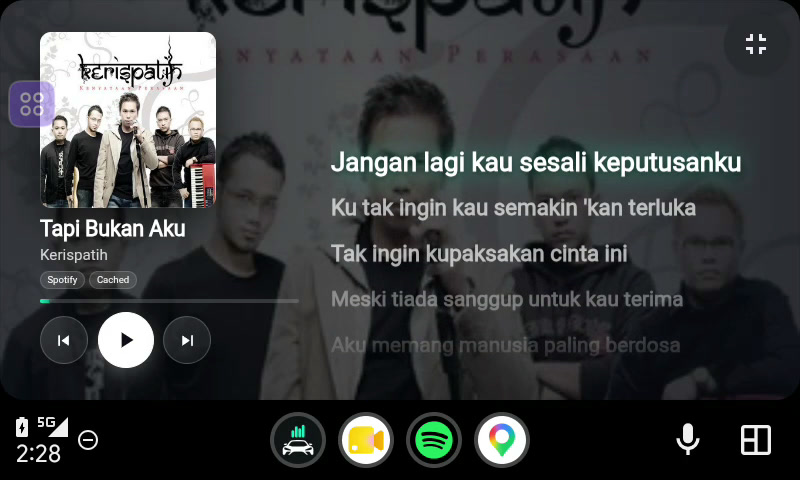
Sing along. In sync.

Line-by-line lyrics for Spotify and other music apps, with backup sources when a song has none.

  • Works with Spotify, YouTube Music and most players
  • Full screen or as a home widget
  • Backup sources when a song is missing

Data from LRCLIBNetEaselyrics.ovh

Afternoon

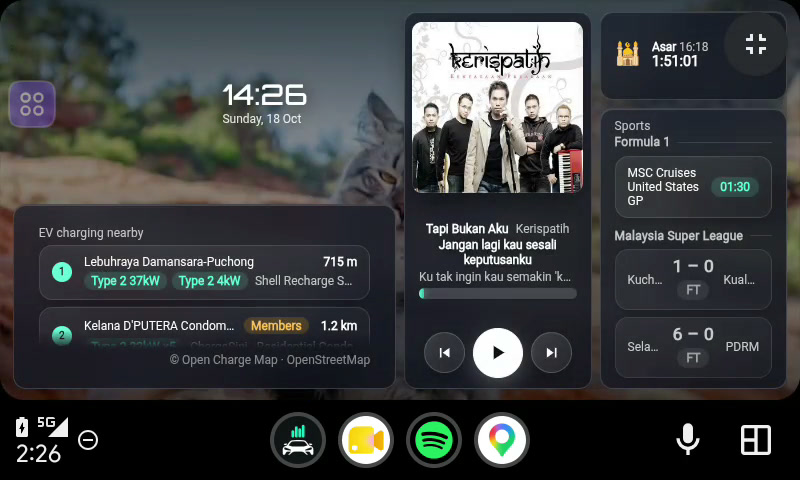
Charge on the way.

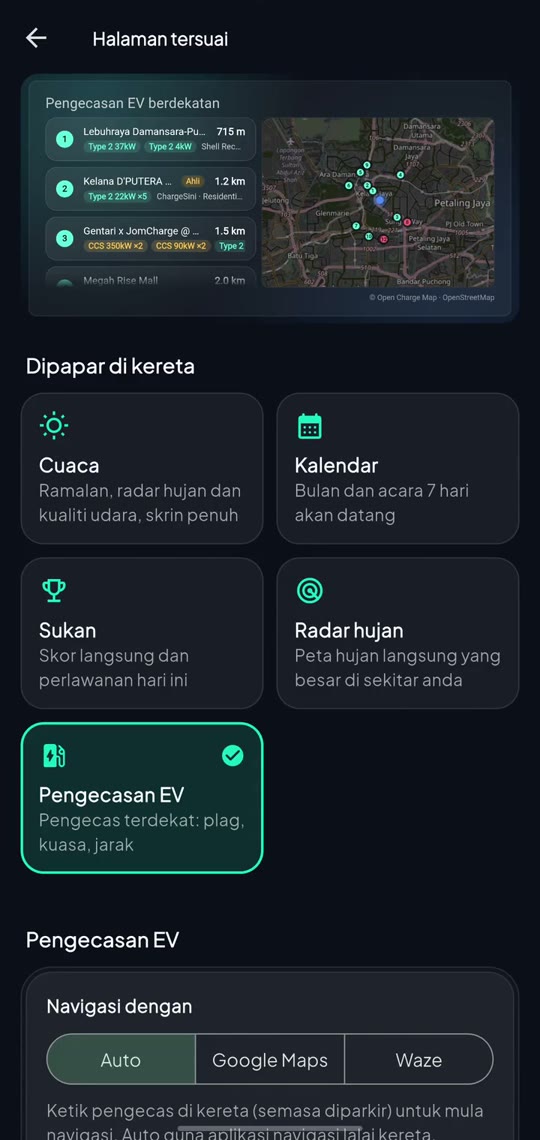
Nearby EV chargers with live access, next to your music, prayer and the scores. Every widget is yours to move and resize.

  • EV chargers with live access status
  • Weekly RON95, RON97 and diesel prices
  • Clock, music, prayer and scores side by side

Data from Open Charge Mapdata.gov.my

Before Asar

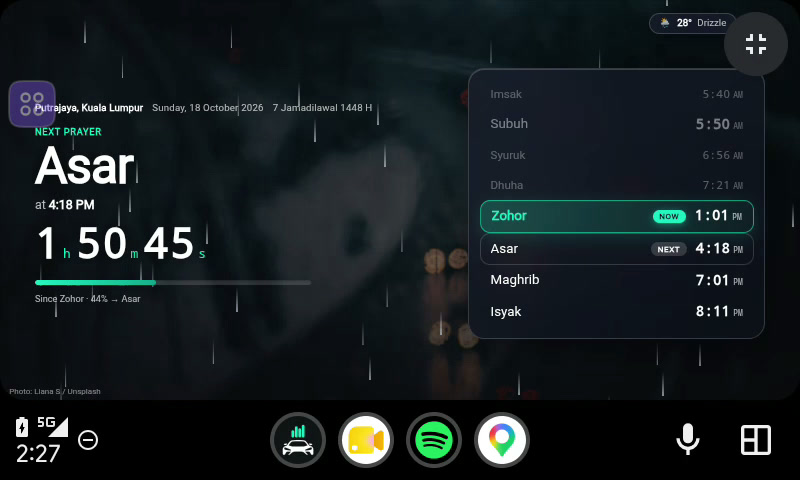
Never miss a prayer.

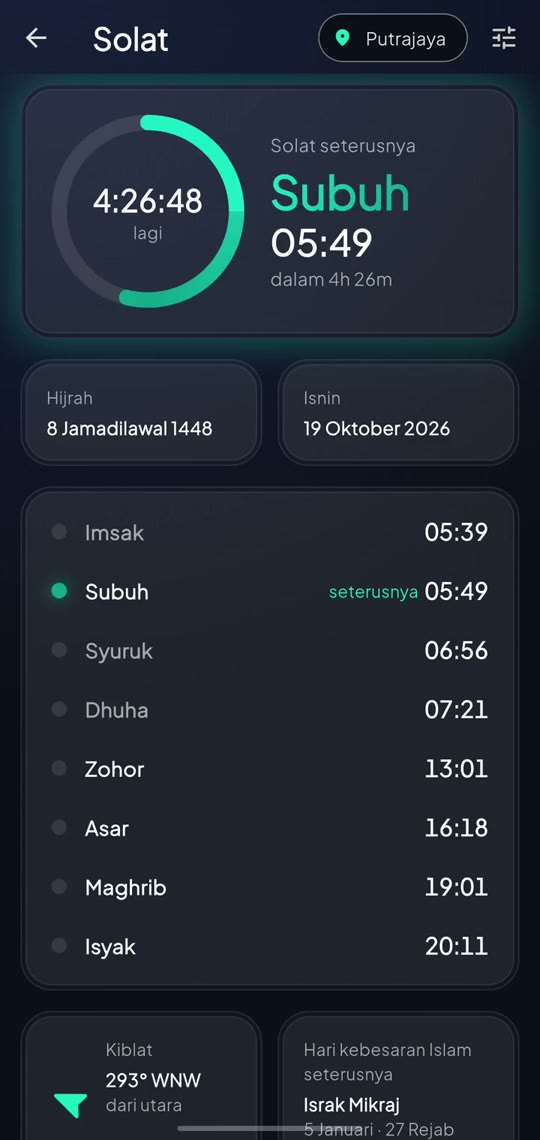
A live countdown to the next prayer. JAKIM in Malaysia, local times and Qibla abroad, and the azan right on time.

  • JAKIM zones across Malaysia
  • Local times and Qibla anywhere else
  • Azan for the prayers you choose

Data from JAKIM · solat.myAlAdhan

Heading home

One page. Your pick.

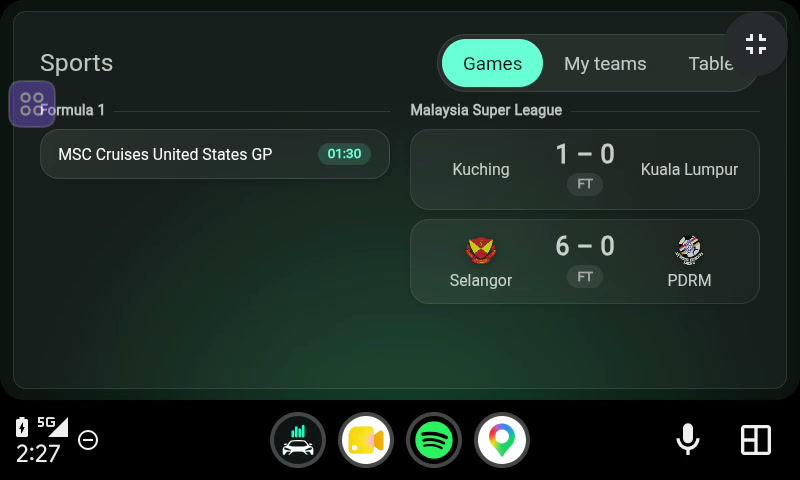
Weather with forecast and radar, calendar, sports or EV chargers, full screen.

  • Forecast, air quality and UV
  • Live rain radar map
  • Malaysia Super League, EPL, F1 and more

Data from Open-MeteoRainViewerfootball-data.orgESPN

Stuck in traffic

Everything, one tap away.

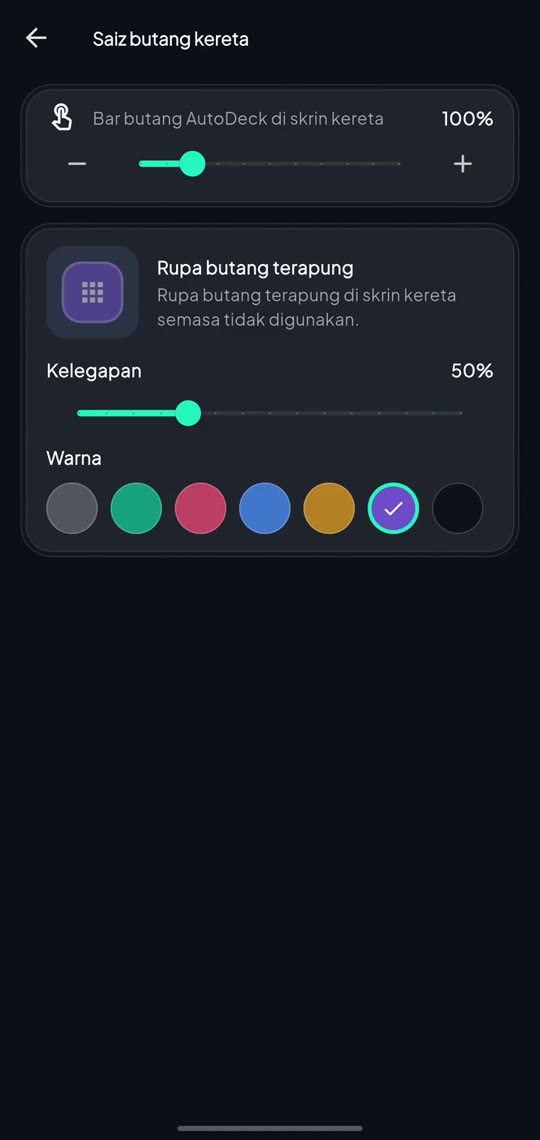
The floating button opens every view. Pick its colour and how see-through it is.

  • Opens Home, Lyrics, Prayer, Your page and Browser
  • Your colour and transparency

Parked and waiting

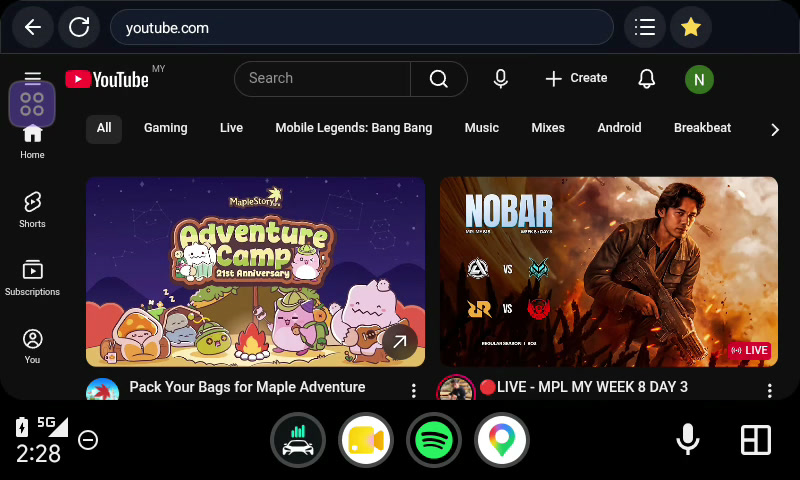
YouTube and the web, when parked.

Watch and browse while you wait. Video stops when the car moves.

  • YouTube with search and subscriptions
  • Any website with an on-screen keyboard
  • Video locks when the car moves
The phone app

Make it yours.

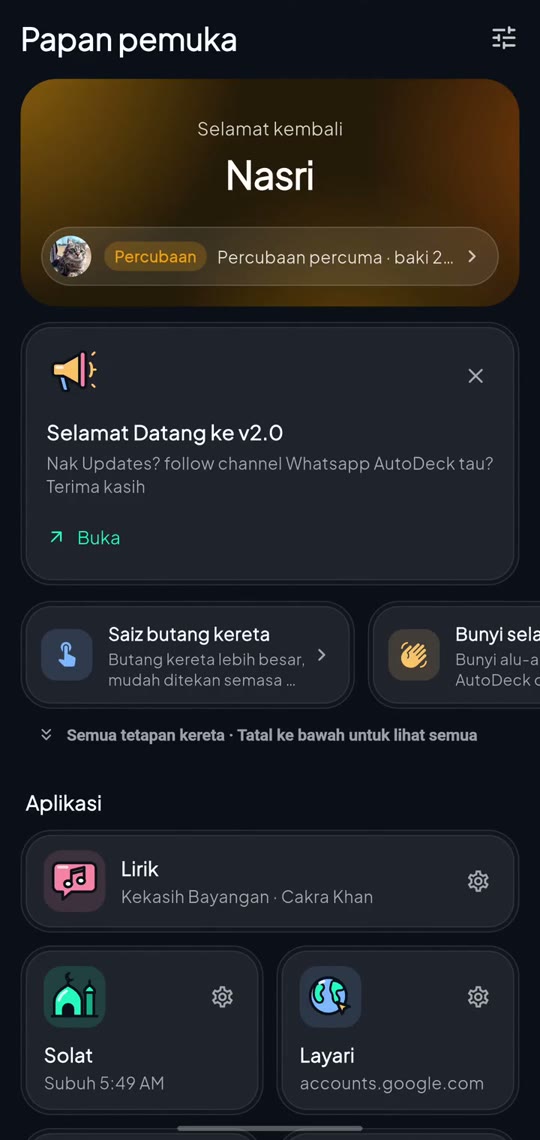
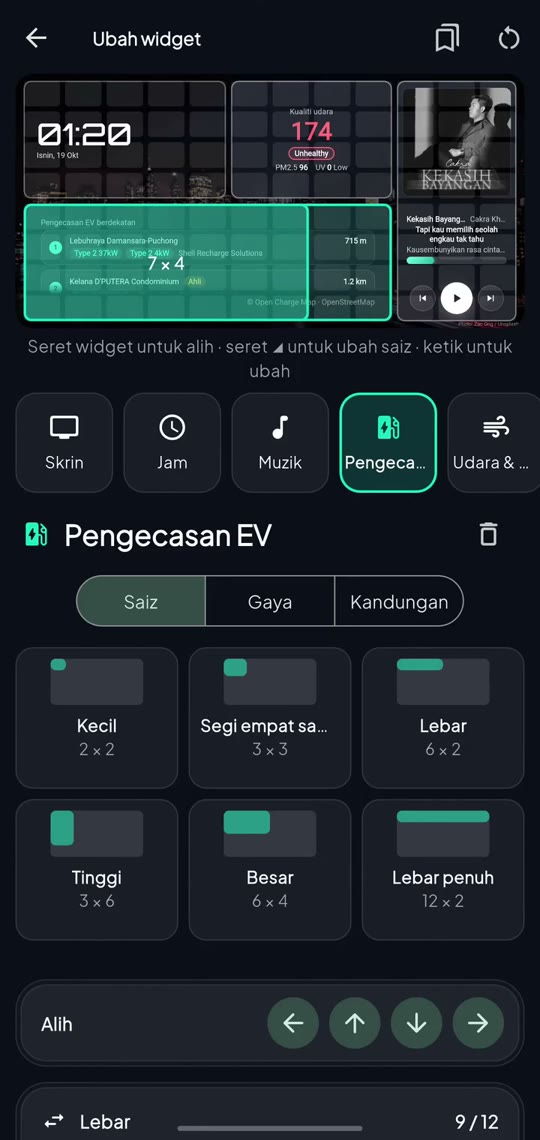
The phone app sets up the car screen. Every change shows up on the next drive.

Your dashboard

Now playing, next prayer and parking in one place.

Drag and resize

A 12-column grid. Widgets snap into place.

Prayer, anywhere

JAKIM in Malaysia, local times abroad, with Qibla.

One page, your pick

Weather, calendar, sports, radar or EV chargers.

Your button

Pick its colour and how see-through it is.

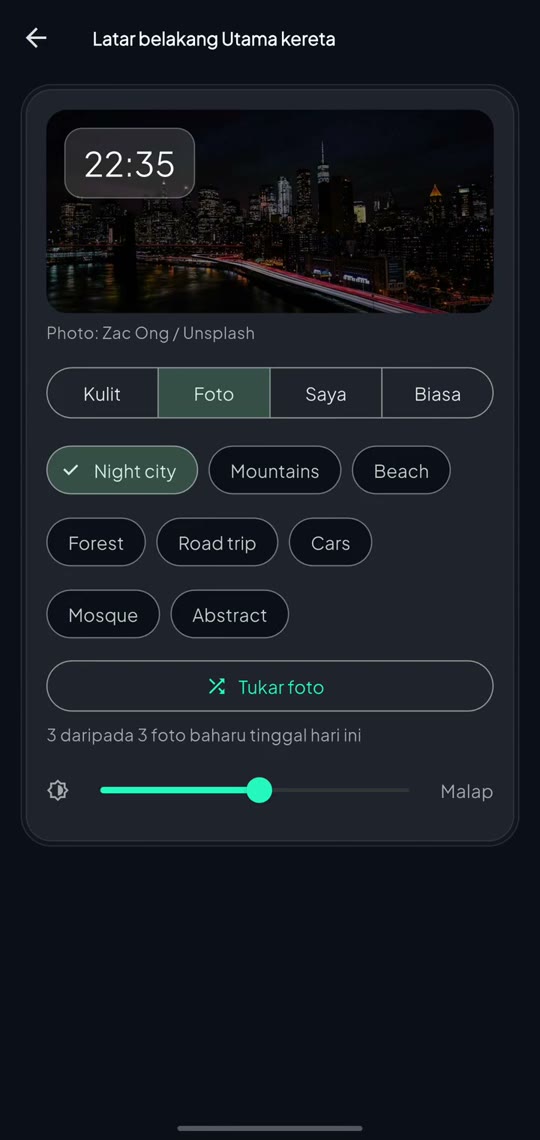
Set the mood

Fresh photos by theme, or one of your own.

Also in 2.0

Small things, every drive.

The details you notice on day one, and the ones you never think about.

Community

Come along for the ride.

Follow updates on our WhatsApp channel, or chat with us to join testing.

AutoDeck on WhatsApp

New versions, tips and what we're building next, straight to your WhatsApp.

Chat with us

Message us on WhatsApp with these four details:

  • Facebook name
  • Email
  • Car model
  • Phone model

Example: Aiman Hakim, aiman@gmail.com, Saga MC3, Samsung S26

Coming soon to Google Play.

AutoDeck 2.0 is in final testing. At launch, every new user can try it free for 3 days.

Try it free In testing

Questions.

Short answers.

When is AutoDeck launching?

Soon on Google Play. We are in final testing.

How do I join testing?

Chat with us on WhatsApp with your Facebook name, email, car model and phone model.

What do I need?

An Android phone with Android 12 or newer, and a car or head unit with Android Auto.

Is there a free trial?

Yes. Every new user gets 3 days free at launch. No payment details needed.

Which music apps work with lyrics?

Spotify, YouTube Music and most music apps.

Can I watch video while driving?

No. YouTube and web video only play when the car is parked.

What about my data?

We only keep what your account needs. Everything else stays on your phone.